International Sales Channel Transition and Availability
Please be advised that our official international reseller formally concluded its activities on November 30th, 2025. As a direct consequence of the cessation of operations by our international reseller, and due to the complex nature of establishing a successor, all international sales transactions are currently unavailable.
Customer Support Continuity
Please note that this measure is strictly limited to product sales. Support services for our international clients remain fully operational and accessible through our standard support channel.
We regret any inconvenience this essential transition may cause and appreciate your professional forbearance during this period. We will issue a formal announcement when the new sales channel is prepared to accept international orders.
After your purchase and payment confirmation, you will receive by email the data to register the software.
After receiving the email and the data supplied for the registration (Name and Key), re-run the software. On the initial window, please follow the instructions below:
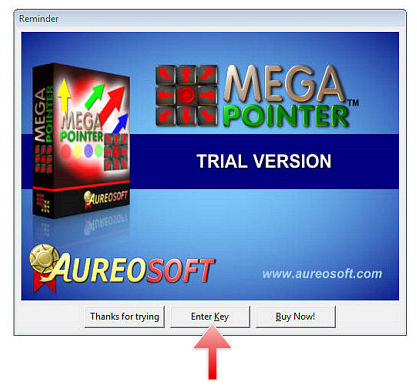
1. Click the “Enter Key” button to access the registration screen and start the activation process.
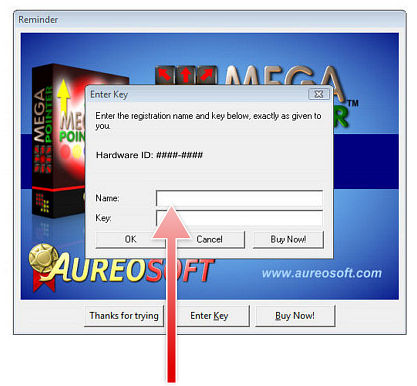
2. Fill out the “Name” and Password (“Key”) (exactly as given to you in the email from AureoSoft).
Click the "OK" button to activate the software.