International Sales Channel Transition and Availability
Please be advised that our official international reseller formally concluded its activities on November 30th, 2025. As a direct consequence of the cessation of operations by our international reseller, and due to the complex nature of establishing a successor, all international sales transactions are currently unavailable.
Customer Support Continuity
Please note that this measure is strictly limited to product sales. Support services for our international clients remain fully operational and accessible through our standard support channel.
We regret any inconvenience this essential transition may cause and appreciate your professional forbearance during this period. We will issue a formal announcement when the new sales channel is prepared to accept international orders.

HandPOINTERS is a professional on-screen marker for interactive multimedia presentations, conferences and multimedia classes in general.
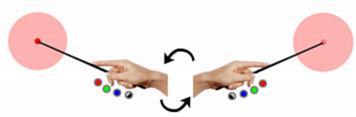
It has two types of hands for you to select: male and female. You can change the type of hand during the presentation in real time.
HandPOINTERS has a “halo of attention” and “precision point” in three different colors: red, green and blue.
Use this tool to demonstrate your presentation slides, animations and videos with greater attention.

You can select the color of the halo of attention in real time (to improve the visibility in different background colors). There are 3 colors available: red, green and blue.
To change the colors of the halo of attention and precision point, just click the appropriate color buttons on the interface.
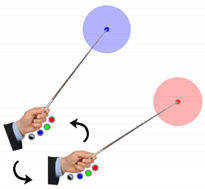
You can change the position of the marker by clicking on the hand and moving it across the screen (click and drag movement). Simply click and hold down the left mouse button on the hand image and drag the hand image to the desired location.
In order to rotate HandPOINTERS you can use the mouse wheel ("scroll"). You can rotate the marker both clockwise and counterclockwise depending on what direction you rotate the mouse wheel.
To quickly change the side of the hand image, simply double-click the left mouse button on the hand image. The marker will point to the opposite side.

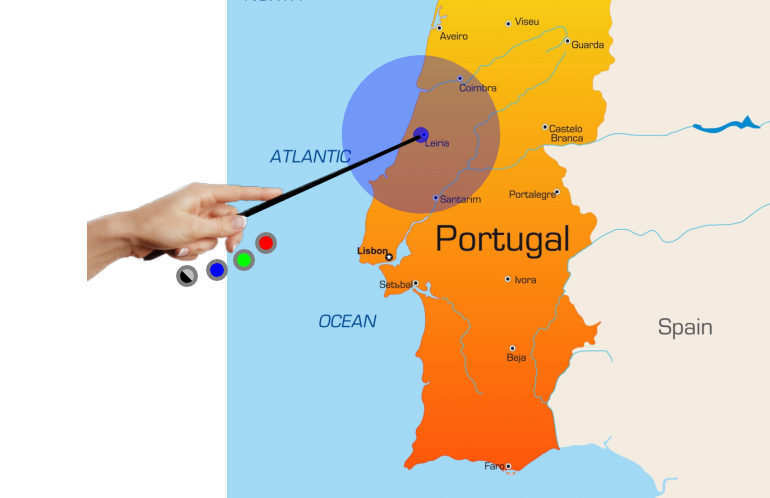

Click on the image to enlarge it.
Please be advised that our official international reseller formally concluded its activities on November 30th, 2025. As a direct consequence of the cessation of operations by our international reseller, and due to the complex nature of establishing a successor, all international sales transactions are currently unavailable.
* You will be redirected to our official reseller (secure checkout).

After confirmation of the payment, you will receive the software activation password in up to 48 hours (usually in less than 4 hours).
UPGRADE: Contact Us